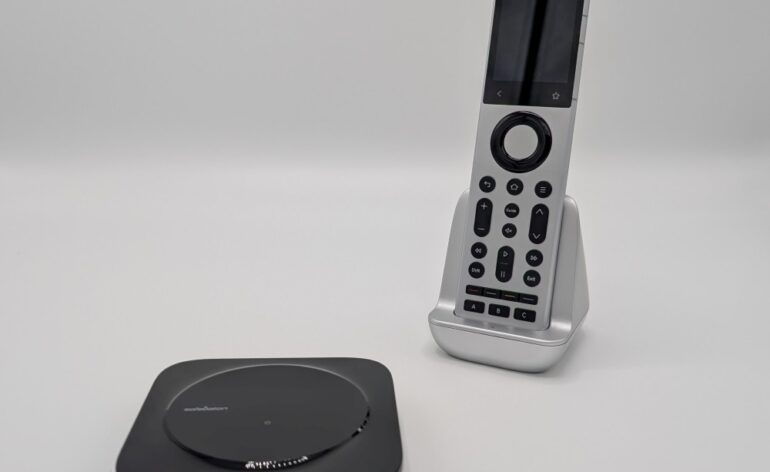
Sofabaton X2 Review: Harmony Who?
Sofabaton has been one of the only companies to try to fill the void in the universal remote market left by Harmony. We’ve reviewed all of their offerings to date, and they’ve consistently gotten better. With the release of their new X2 model, can Sofabaton step out of the shadow that Harmony cast all those years ago? We take a close look in our review of the Sofabaton X2.
Editor’s Note: It is insane to think that Harmony killed their remotes years ago and yet they are still considered the de facto standard. This just shows how far ahead of the game Harmony was compared to the competition. There are a few non-installer options out there, and we are only now seeing those that rival Harmony’s offerings.
A Trip Down Memory Lane
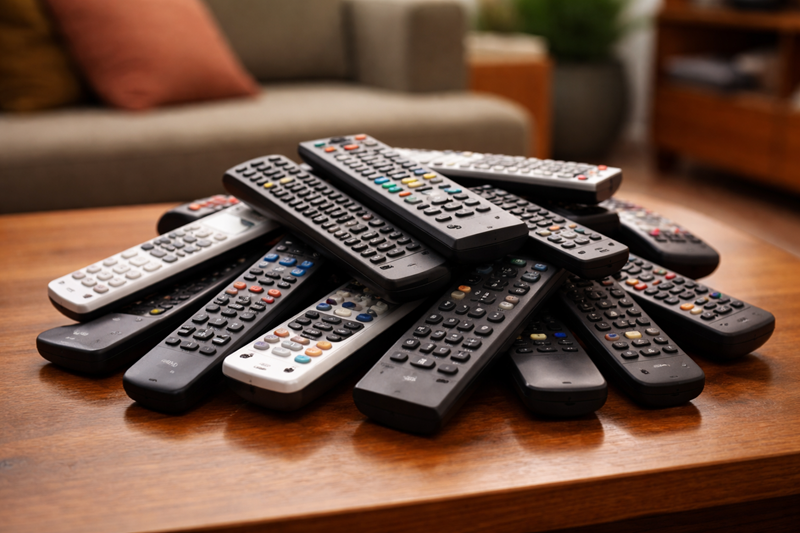
I remember when every home theater enthusiast’s coffee table looked like a crime scene made entirely of remote controls. One for the TV, one for the Receiver, one for the DVD player, one for the cable box, and on and on. Sure, there were universal remotes out there that tried to consolidate all those into one, but they were hard to program, requiring you to point other remotes at it so it could “learn” the commands you wanted. It was difficult, frustrating, and time-consuming. And don’t even get me started on macros!
Then Harmony came along and saved us. One remote. A hub. IR, Bluetooth, RF. A touchscreen. It was bliss. You could program it with a simple interface on your computer. The hub could be positioned in a closet with your gear, and you could attach IR blasters to it so you could control only the gear you wanted. It was everything we ever wanted.
And then Harmony killed it.

From the ashes, a handful of hopefuls tried to claim the throne. Sofabaton arrived with the X1, improved things with the X1S, and now they’ve taken their biggest swing yet, the Sofabaton X2. Touchscreen? Check. IR/Wi-Fi/Bluetooth device control? Check. Home Assistant support? Check. But has Sofabaton set the new standard so we can finally stop comparing everything to Harmony?
Pros And Cons
This is the third X-series remote for Sofabaton. The original X1 was their first attempt at filling the void left by Harmony. While a great remote, it had a few things missing, and it needed some refinements. The X1S improved upon that design, added a backlight, and better IR and Bluetooth support. The Sofabaton X2 adds all the things from the X1/X1S, plus a touchscreen, an embedded IR blaster, and new IR extenders to ensure you can control anything, anywhere.
Pros
- Solid build compared to older Sofabaton models
- Reliable once set up
- Good device database
- Straightforward layout
- Activities that work well after tuning
- A reasonable price for people who just want the living room to make sense again
Cons
- Setup can require tinkering
- Occasional IR hiccups (mostly placement)
- Home automation control is still growing
First Impressions
The Sofabaton X2 looks like someone took the X1, listened to every complaint on every forum, and actually tried to address them. It feels solid. The buttons no longer wobble like loose teeth. The layout is familiar enough that your spouse won’t threaten to go back to the cable remote, but improved enough that avid users won’t feel stuck in 2010. Most importantly, there’s an IR transmitter in the remote itself. Yes, if your hub can’t reach a stubborn component, you can point the remote at it like a normal human, and it will respond. Revolutionary!

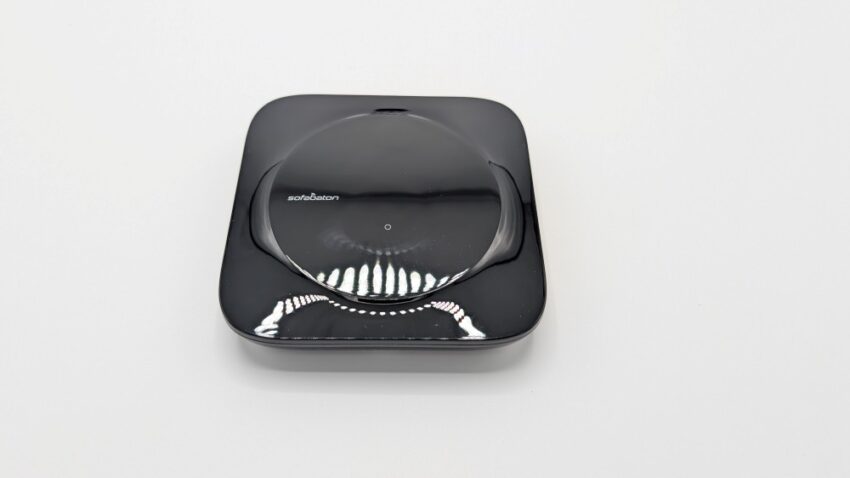
The hub is still part of the system, and that’s fine. IR is still IR, and half the gear in your rack acts like RF is witchcraft. The hub is small, unobtrusive, and, so far, has hit every device in my setup. If you have dead spots, Sofabaton includes IR extenders, a repeater, and the remote’s own IR to cover you from all angles.
The touchscreen? Bright. Responsive. Fast. It should be, it’s brand new. But the responsiveness is immediate, whether you tap a device or swipe on an activity. Future firmware will determine longevity, but the first impression is excellent.

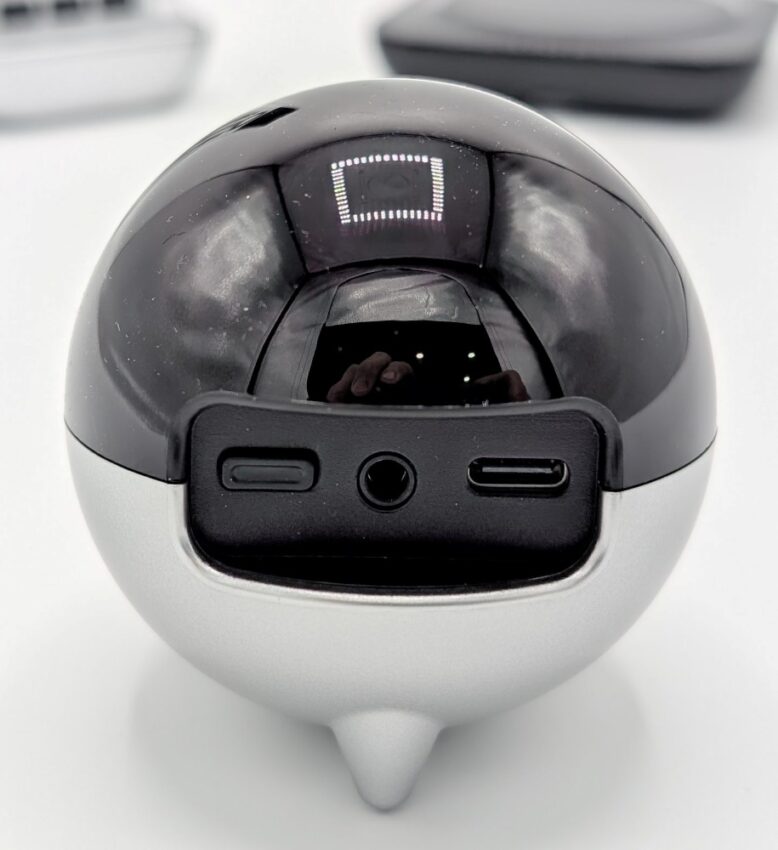
The optional Sofabaton R1 extender is an incredible quality-of-life improvement. Sure, they have IR extenders to apply to specific devices, but what if you wanted to control a whole other room or system? You can with the R1. It has through-wall coverage so that if you have your devices in a different room, it will still control them from wherever you are. I have a 2.1 system at the back of my room that my X1S hub won’t hit reliably. With the R1, I can place it in that space and continue to use my X2 to control yet another system. That’s amazing.
Design And Ergonomics
The remote’s physical design deserves praise. It’s substantial without being heavy for the sake of being heavy. The aluminum body feels premium, the textured plastic improves grip, and the shape fits the hand naturally. And yes, it’s silver. A lot of forum folks are acting like silver is morally offensive. They were obviously not around during the “silver and woodgrain” era of AV gear. I like it.
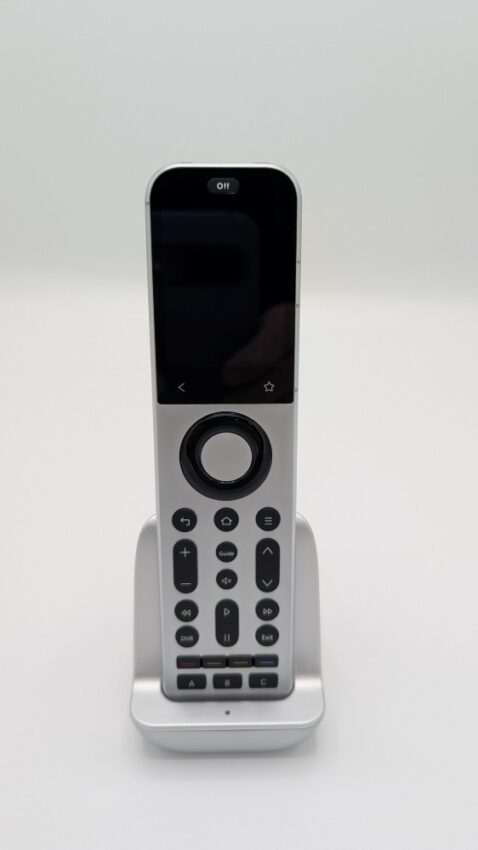
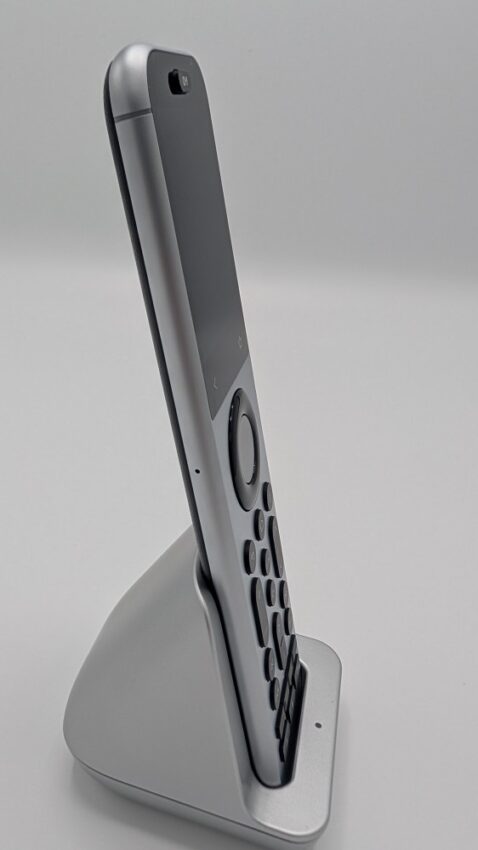
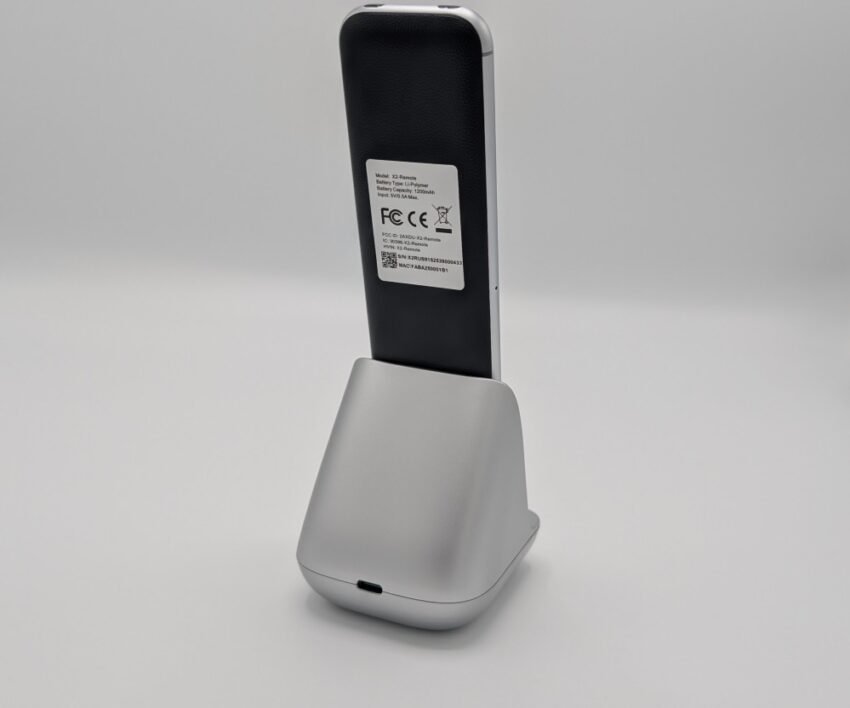
Here is where there will be divided opinions. I like the new, sleeker design of the remote. It sits well in my hand, and there is no weird hump like on the Harmony Elite. That said, my editor is not as much of a fan and has complained that there is no natural way to index the remote like the Harmony. He found himself hitting the back button unintentionally and backing out of the activities.
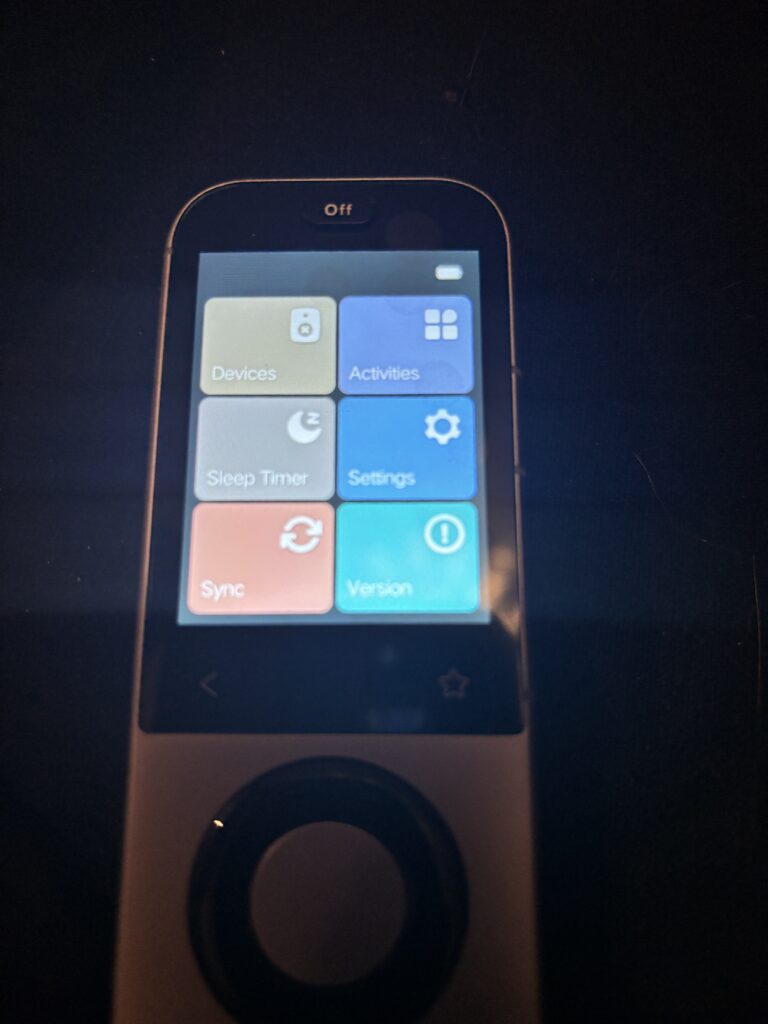
I do hope that they will make some changes to the touchscreen. Currently, they have Version (firmware) as one of the tiles. In my opinion, this is not important enough to highlight, and it can be stuffed under the settings. I am not sure what prompted that choice, but I hope we can customize the top page so we can choose what’s in the tiles.
In The Box
I don’t do unboxings, so let’s be brief. Inside the X2’s box, you will find the remote, a charging base (something users asked for), a pair of IR extenders, the hub, and the power bricks and cables. No muss no fuss.
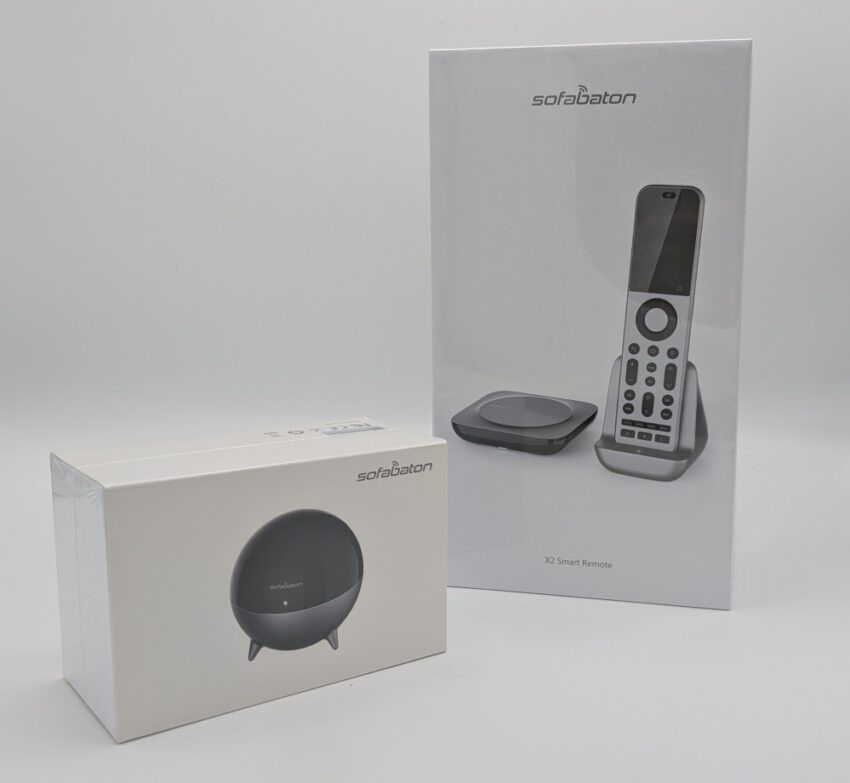
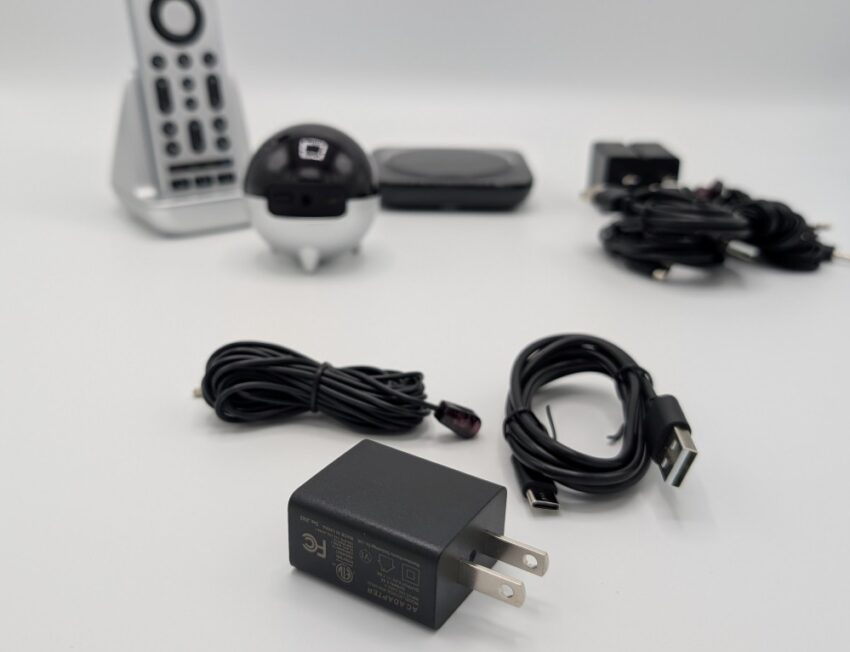
The charging base is a nice addition. I never found charging my X1S particularly onerous. It lasted over a month on a charge, so leaving it plugged in to my charger for a couple of hours was not a chore. I probably won’t use the charging base as a charging base, but rather as a holder for the remote so it can stop sitting on a coffee table when not in use. It’s also a nice way to display what is objectively an attractive remote.
Setup
Setup follows the modern script: download the app, sign in, and prepare for the inevitable pairing dance. The Sofabaton database is better than I expected. It found codes for everything in my system, including one aging piece of gear that I’m fairly certain the manufacturer forgot about a decade ago.
Adding devices is straightforward. Choose the type of device (Bluetooth, IR, Wi-Fi, or RF), and then start the search. You should be able to find what you are looking for pretty quickly. Sometimes you need to search for a very specific model. For example, when I add my LG OLED, I need to put in the EXACT model to find it. I also notice that there are LOTS of user-submitted devices in there. I have submitted my own versions of my Onkyo and other devices that I have refined over my time with the X1S, so don’t be afraid to give one a try.
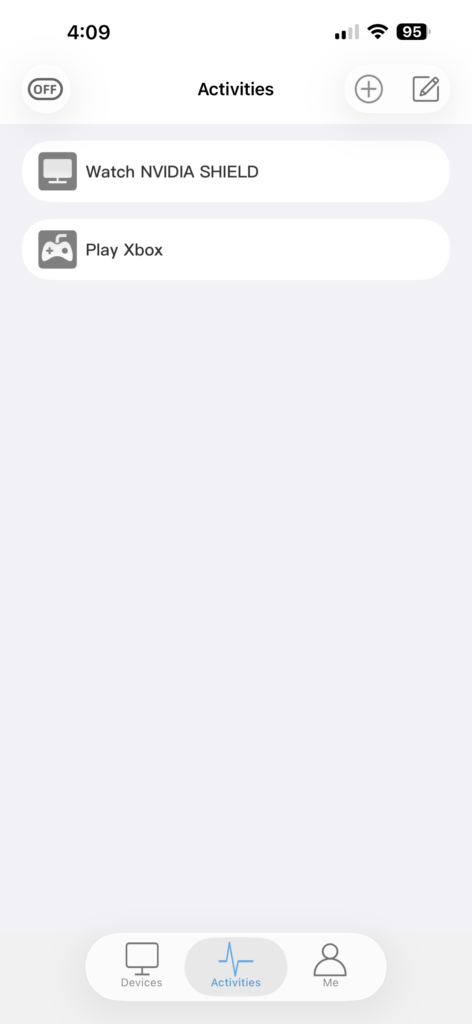
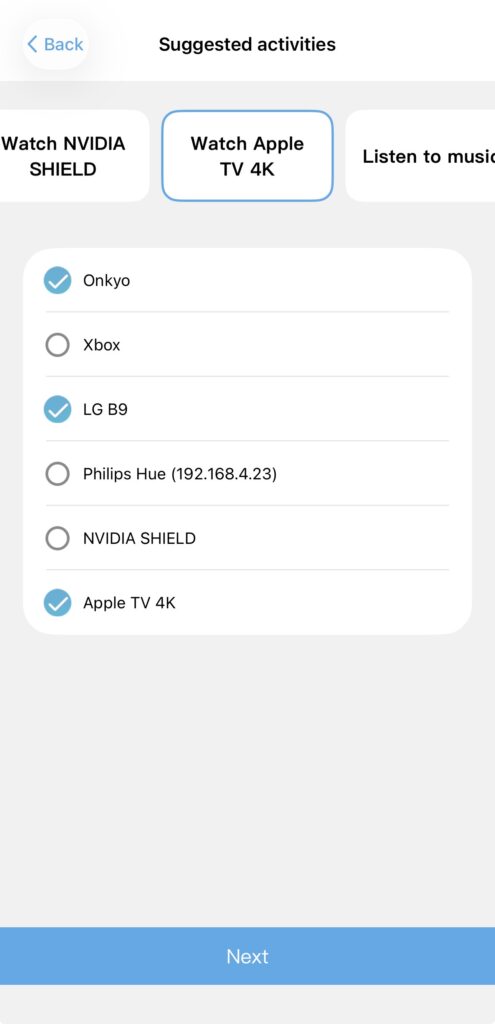
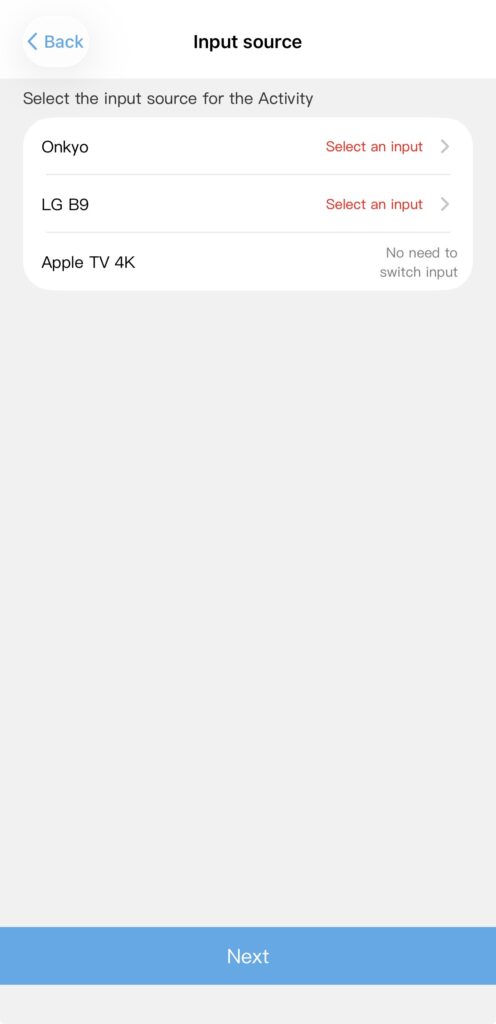
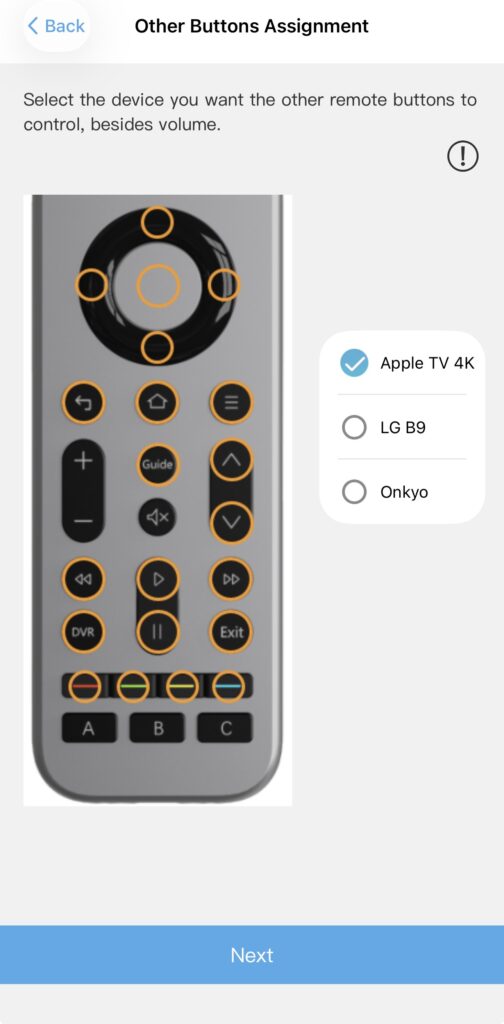
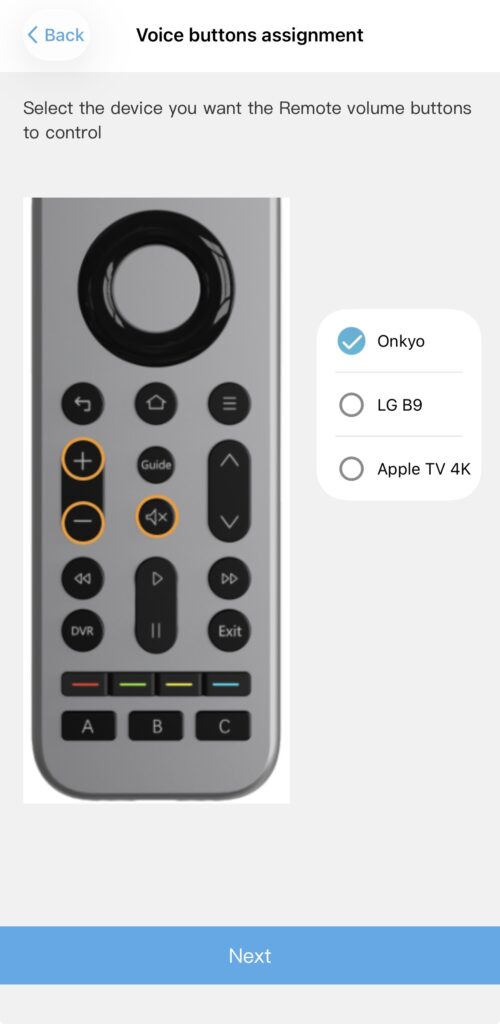

Activities require patience. Not because they’re hard, but because it’s not always 100% intuitive. For example, the Sofabaton finds my Onkyo TX-NR7100 right away, but it still needs me to confirm how the device turns on and off. Same with inputs. The device knows I have to switch inputs, but it has duplicates for each input, and they don’t all work. This requires me to test each input manually and delete the others. This step is where 99% of user frustration comes from. Once that’s done, all you need to do is select the devices, indicate the inputs, and let it sync. Just like Harmony.

This is not Harmony-level polish…yet! But it is reasonably predictable once everything is set up, which is more than I can say for some of the oddball contenders on the market. Here is the biggest caveat to MY experience. I have been using universal remotes since the early Harmony remotes. Those remotes required a lot of tinkering, as do the remotes from Sofabaton. Once you understand how the software “thinks”, you can quickly troubleshoot it. If you don’t want to troubleshoot or you don’t have the patience, it’s going to be a bad time for you.
Daily Use
The most important thing a universal remote can do is turn everything on, change the right inputs, and let you watch something without also generating family-wide resentment. The X2 does that reliably. Once you get the power and inputs cycling properly, everything is mostly flawless. I have been using it for a couple of weeks now, and I have finally put my X1S away. There has yet to be a time when I have had to fix a missed command or redo something. Everything has just been working as expected.
Again, and I need to stress this, I am VERY skilled with troubleshooting devices. There were no curveballs thrown with the Sofabaton X2. Most of my issues were solved by ensuring the hub was positioned so it could blast all my IR stuff. However, because the new X2 has an IR blaster in the remote, I can tell the activity to use the blaster in the remote vs the hub to send signals. Just like Harmony!
That said, I remember the first X1 and how much of a pain it was to set up. Sofabaton has fixed every issue that has been submitted. They actually remind me of early Harmony with their devoted user base that continually fed them items for improvement, and most of them got implemented. I can say that the X2 is far further ahead than Harmony on their third remote.
New Stuff
You can’t have a new remote without some new stuff. The touchscreen is the most obvious addition. While I loved my X1S, I bemoaned the lack of a touchscreen. Why? Because I had one before, and it felt like we were going backwards if one wasn’t included. If I am being honest, I like the bright little screen in the darkness. It’s easy to see, and I like the convenience of no buttons. Plus, I can customize it as I like.
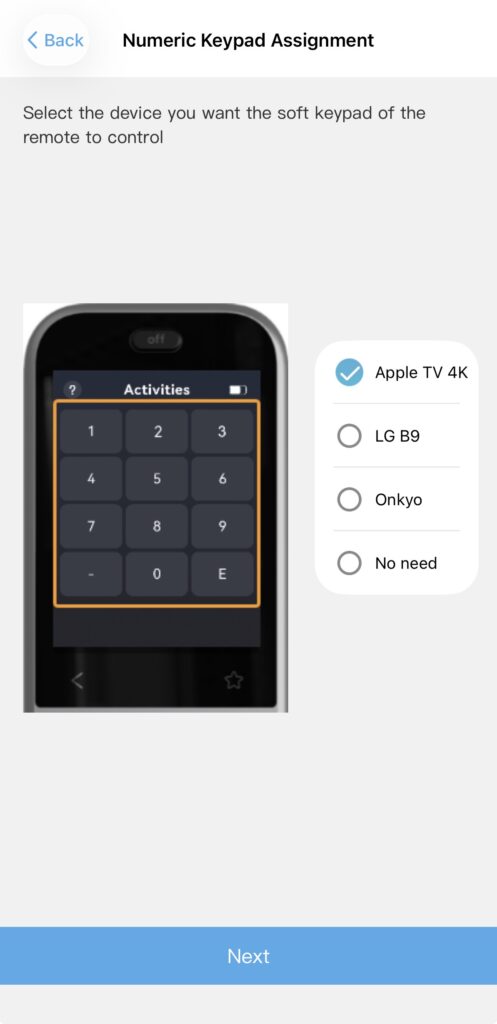
That brings up the second new thing: a numeric pad screen available on the touchscreen. This one doesn’t make me want to jump up and down, but it is one of the most-requested features I have seen. Folks just love being able to type in the channel number for their cable boxes. I have been away from cable for so long that I actually forgot you had to do that. But it’s there, so cavemen rejoice.
There are a handful of new things that are nice additions, like a sleep timer. The sleep timer will turn off your system after a set time of inactivity. I don’t think any remote I have used has that built in. I probably won’t use it, but they figured enough folks would, so they added it. Now, this will not power down all your devices. It will only power down those within the activity you’ve chosen on the remote. So, for example, if you have your Watch a Movie activity active on the remote, it will power down all the devices in that activity at the end of the timer. Any other devices outside that activity will not be affected.
The other feature I found I really liked was the swipe to activate activities. To start an activity, you need to swipe the activity to the right rather than tap on a button. It means that I won’t accidentally touch a different activity when my Cheeto dust-covered fingers try and adjust the volume.
Lastly, the addition of an IR emitter in the remote itself. With most remotes eschewing IR for Bluetooth or RF, most remotes have done away with an IR emitter. I don’t understand this at all. Most audio devices use IR as their ONLY control option. The IR blaster hub gets almost everything, most of the time. For those stubborn devices, pointing the remote is a simple solution. Good job, Sofabaton!
Quirks
Ah, yes, the charming stuff. These are the little things that, when you don’t know about them, make you want to scream. First, Bluetooth pairing can be stubborn. The main issue? The remote shows up as a BT and BLE device in most menus. I am not sure why, but I had to choose BLE each time to make it work.
Secondly, automation integration with Philips Hue is still meh at best. Whereas before it didn’t see all my lights, it now does. Plus, it gives me control over each light, and I can dim them, as a group, at 20, 60, 80, and 100%. However, they still do not allow you to use Hue Scenes. The Scenes allow automation on the click of a button. You can have certain lights dim, change color, or turn off completely. Get that right, and the Sofabaton X2 is at Harmony level. More on home automation later.
The last little quirk I noticed was with Google Home integration. With the X1S, you could add it to Google Home, but they never showed up as devices, and they often didn’t work. With the Sofabaton X2, they now show up as devices and are added to a home, but you need to tell Google to “start” or “stop” and then say the EXACT name of the activity.
I found for the best experience, it is best to name your activities with something precise and unique. For example, I will say “Hey Google, start “Xbox Game Console” because that is what I named my activity, and it won’t confuse Google. Conversely, you can ask Google to “activate” and “deactivate” your activities as well.
Home Automation
I have been droning on about home automation, but there is a huge elephant in the room I haven’t addressed: Home Assistant. The Sofabaton X2 provides direct support for Home Assistant MQTT (Message Queuing Telemetry Transport) protocol. What does that mean in English?
Simply put, there is now a direct pathway for the X2 to integrate Home Assistant functionality into the remote. This means I will have control over my Hue (and lots of IoT devices) by integrating HA. Guess it’s time to dust off my virtual server and install Home Assistant again!

I promise that I will dig back into it and make a real attempt at integration before I make any pronouncement about the X2’s lack of home automation. HA is not plug and play, so it may be intimidating to some, but that said, there are some great tutorials.
Our Take

It’s easy to look back on Harmony and think they did everything right. That’s just not the case. The “rose-colored glasses” may make us think that they did, but we had our complaints. The reality is this: The Sofabaton X2 is THE remote you should be buying. Home automation may matter to a small subset of people (including me), but for most people, the X2 does everything they need, and it does it flawlessly. It’s time to stop comparing everything to Harmony and start comparing it to the Sofabaton X2!
The Sofabaton X2 is one of the first remotes I’ve used in years that feels like it understands why Harmony mattered in the first place. Not because of features, but because it made your system accessible to everyone, not just the person who built it. I remember family visiting back in the day and needing me to be there in order to watch TV (because of the stack of remotes). The Sofabaton is intuitive enough that just about anyone can pick it up and use it. It’s stable, predictable, and it’s not trying to be overly clever. It just works once you’ve set it up, and it doesn’t require you to become your household’s tech support every time someone wants to watch Netflix.
That leaves THE question. If you have an X1S, should you upgrade to the X2? I would love to say that the X2 is a quantum leap in remote technology, but it’s not. It is the successor to the X1S and has made all of the logical updates. If you are getting into the remote market, skip the X1S and head right to the X2. If you have an X1S, I wouldn’t be as quick to run out and upgrade. But I wouldn’t judge you if you did!